Navigating the regulatory demands placed on motor carriers has never been more complex. As the Federal Motor Carrier Safety Administration (FMCSA) continues to expand its data-driven oversight capabilities, the volume of documentation, tracking, and reporting required to remain compliant can quickly overwhelm even the most experienced safety teams. What once required rows of filing cabinets and manual spreadsheet updates now demands a centralized, automated approach that keeps pace with real-time enforcement. That is precisely the role of fleet compliance software: to bring together the fragmented requirements of DOT-regulated operations into a single, actionable platform.

This guide maps the core capabilities that define effective fleet compliance software for DOT-regulated motor carriers. The goal is not to evaluate specific vendors but to give safety managers, compliance officers, operations leaders, and HR teams a clear framework for assessing platforms on substance. When you understand what each module should do, how it connects to the others, and what outcomes it should produce, you can move beyond polished demos and evaluate whether a platform will actually support your regulatory risk profile.
What “Fleet Compliance Software” Actually Covers
The term “fleet compliance software” is used broadly across the transportation industry, and that breadth can create confusion. For motor carriers operating under DOT and FMCSA authority, the scope is specific: the platform must support programs that govern drivers, commercial vehicles, hours of service, controlled substance testing, safety performance, and audit readiness. It is not a general fleet management tool focused on routing or fuel optimization, though it may integrate with those systems. Its primary purpose is regulatory compliance and risk reduction.
Working Definition: Fleet compliance software is a centralized digital platform that automates the tracking, verification, and reporting of DOT and FMCSA regulatory requirements across drivers, vehicles, and safety programs, enabling continuous audit readiness and measurable reduction of operational and legal risk.
Understanding the scope also means understanding who interacts with the platform on a daily basis. Safety and Compliance Managers rely on it to monitor overall risk exposure, respond to violations, and prepare for audits. Dispatchers and Operations Leaders use it to confirm that drivers are qualified and vehicles are compliant before assignment. Human Resources teams depend on it to streamline driver onboarding and manage qualification documentation, while Maintenance Managers track preventive maintenance schedules and electronic inspection reports. Even finance and risk management teams benefit from the visibility these platforms provide into compliance-related costs and liability exposure.
The outcomes a well-implemented platform should enable are equally clear. Continuous compliance means that qualification files, vehicle records, and testing programs are maintained in a current state at all times, not just during audit preparation windows. Fewer manual errors result from replacing paper files and spreadsheets with automated workflows and alerts. And genuine audit readiness means that when a compliance review is initiated, the evidence required can be assembled and delivered quickly, without a scramble through disorganized records. These are the benchmarks against which any platform should be measured.
Driver Qualification (DQ) File Management: The Foundation of Driver Compliance
The Driver Qualification file is one of the most scrutinized records in any DOT compliance review. Under 49 CFR Part 391, motor carriers must maintain a complete, current file for every commercial motor vehicle driver they employ or contract. The file documents that a driver is legally licensed, medically certified, and safety-qualified to operate a commercial vehicle. When that documentation is incomplete, expired, or inaccessible, the consequences range from out-of-service orders to significant civil liability.

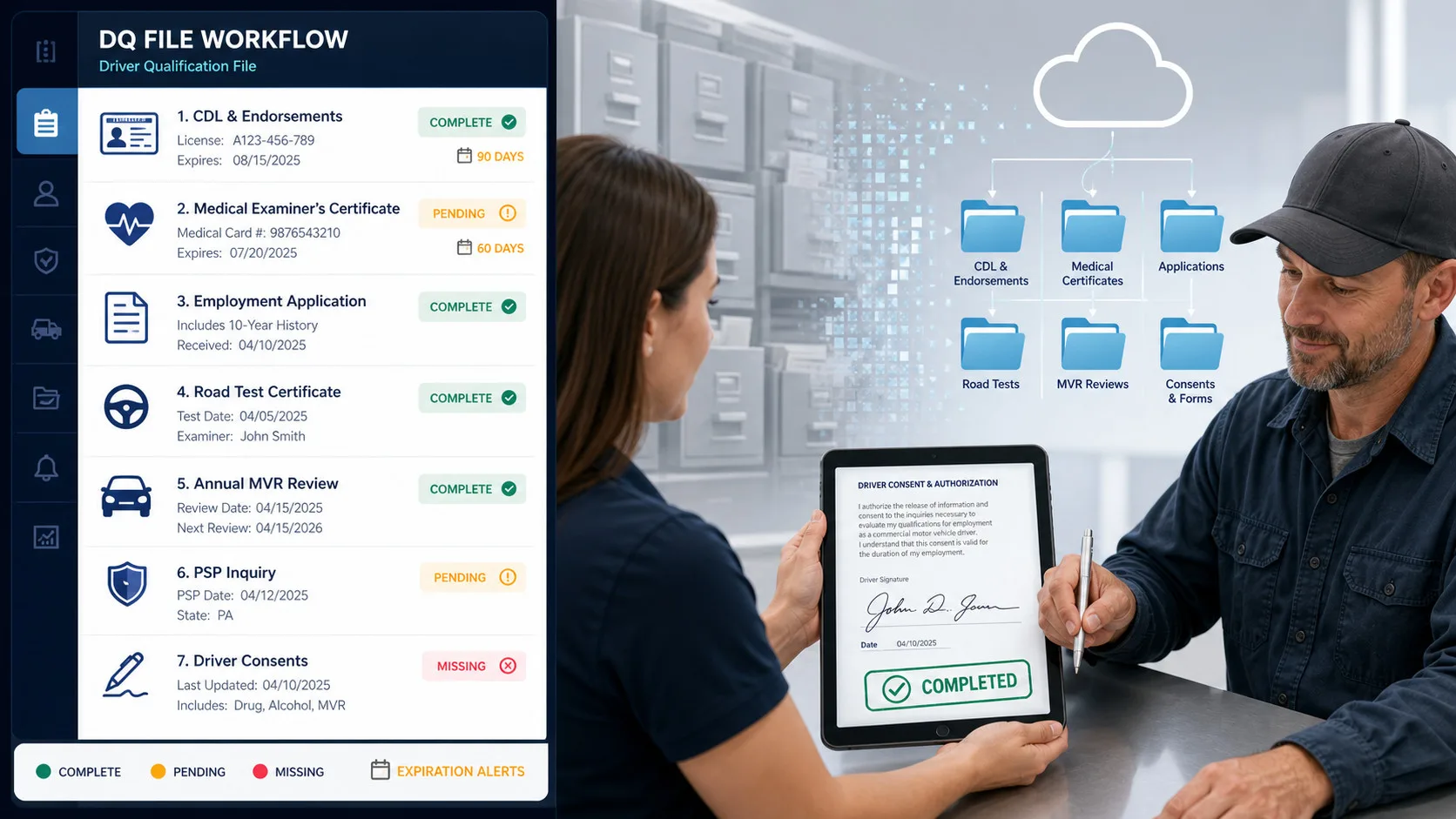
Effective fleet compliance software transforms the DQ file from a passive archive into an active compliance workflow. The platform provides structured digital checklists covering all required file components: the employment application with a complete ten-year work history, a valid Commercial Driver’s License (CDL) with appropriate endorsements, the medical examiner’s certificate, road test records or equivalent certificates, and documentation of the annual review of the driver’s driving record. These checklists eliminate the guesswork from onboarding and ensure that no required document is overlooked during the hiring process.
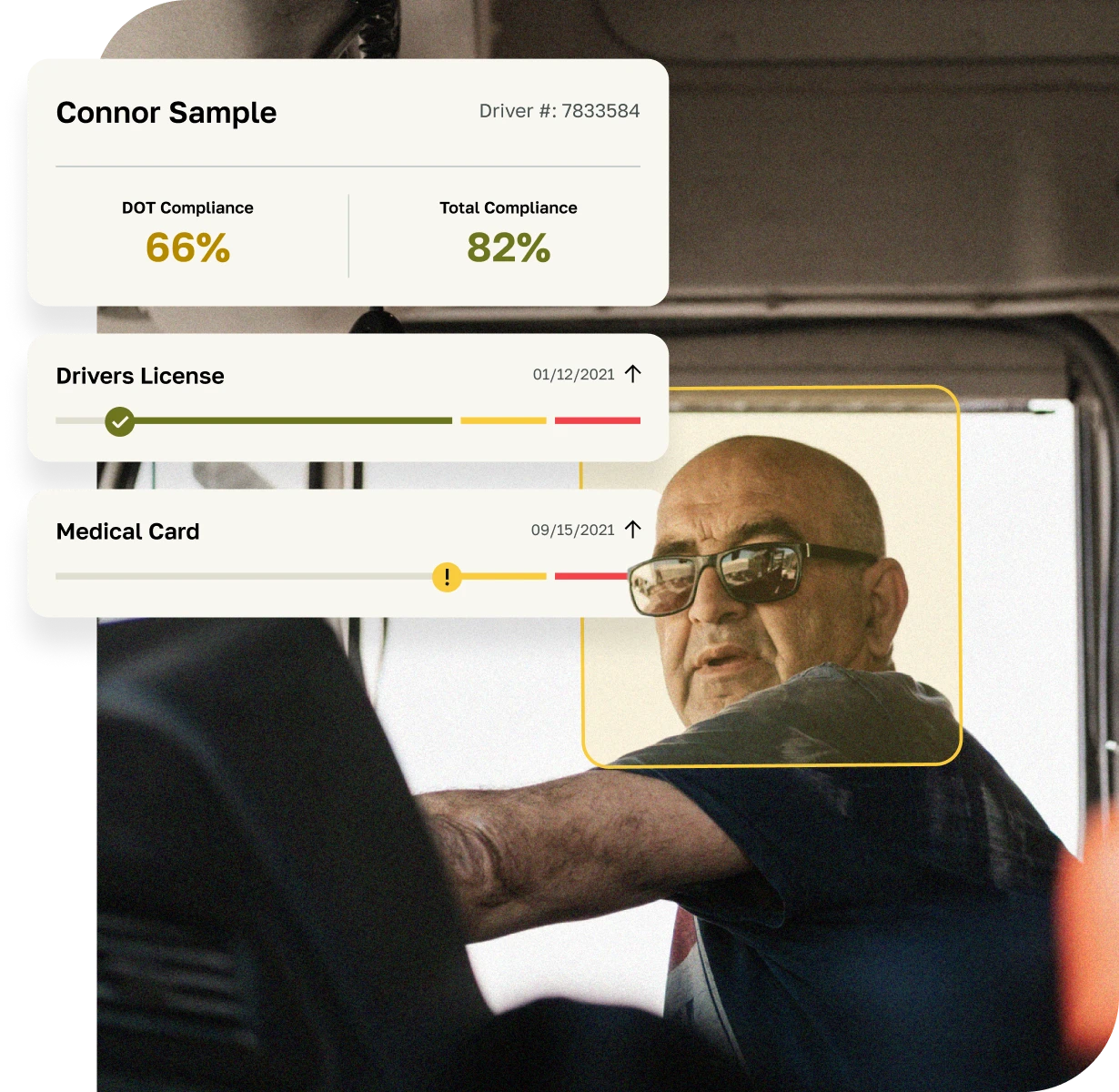
Automated expiration tracking is perhaps the most operationally valuable feature within DQ file management. Medical cards, CDLs, and endorsements all carry expiration dates, and a lapsed credential can result in an immediate out-of-service order at roadside. The cost of a single missed medical card renewal extends beyond the fine itself: it includes delayed freight, potential shipper penalties, and the reputational damage of an out-of-service event. A platform that sends automated alerts at 90, 60, and 30 days before expiration gives safety teams the lead time to act before a compliance gap materializes.

The platform also manages Motor Vehicle Record (MVR) pulls and Pre-Employment Screening Program (PSP) inquiries, including the required driver consent documentation. Because MVR requirements vary by state, the system must accommodate these nuances and maintain records of each inquiry. Configurable hiring and requalification workflows route tasks automatically to the appropriate personnel, ensuring that every step in the qualification process is completed and documented. Equally important is the audit trail: every action taken within a DQ file must be logged with a timestamp and user identifier, providing the version control and accountability that auditors expect. For a deeper look at how these files function within a broader compliance review, the DQ File Management guide provides a thorough walkthrough of the operational role these records play.
Hours of Service (HOS), ELD Data, and Rule Set Management: Turning Log Data Into Compliance Evidence
Hours of service compliance represents one of the highest-risk areas in FMCSA enforcement. Violations in the Hours-of-Service Compliance BASIC directly affect a carrier’s Safety Measurement System (SMS) percentile and can trigger focused investigations or full compliance reviews. With the Electronic Logging Device (ELD) mandate firmly in place, the data required to demonstrate compliance is digital, detailed, and subject to rigorous scrutiny. Fleet compliance software that handles HOS and ELD compliance must do more than store log files; it must actively process that data to surface violations, apply complex rule sets, and generate the evidence chains auditors require.
The first requirement is seamless integration with ELD providers. A compliance platform should connect via API to ingest log data automatically, normalizing records from multiple device types into a consistent format. This is particularly important for fleets operating mixed equipment or acquiring carriers with different ELD installations. Retention of this data must meet FMCSA requirements, and the platform should maintain it in a format that supports both internal review and external audit requests.

The rule engine is where the platform’s technical depth becomes apparent. Property carrier rules, passenger carrier rules, short-haul exemptions, split sleeper berth provisions, and adverse driving conditions exemptions all require precise application to the underlying log data. A platform that applies rules incorrectly will either generate false violations that erode driver trust or miss genuine violations that create audit liability. The rule engine must also accommodate changes in regulatory guidance and be configurable for specific operational exemptions that a carrier has documented eligibility to use.
Violation detection should be automatic and immediate. When a driver exceeds a driving limit or fails to take a required rest period, the system should flag the event, prompt the appropriate annotation, and route a corrective action workflow to the responsible manager. Dashboards for unassigned driving time, log edits, and driver certification status provide the operational visibility needed to address discrepancies before they accumulate into audit liabilities. Fleets that implement structured exception workflows typically see significant reductions in unidentified driving miles, which is a metric that auditors examine closely as an indicator of log integrity.
Vehicle Compliance: DVIR, PM Schedules, and Inspection Records
A driver can be fully qualified and operating within legal hours, but if the vehicle they are operating has an unresolved defect or an expired annual inspection, the fleet is still exposed to significant risk. Asset compliance management within fleet compliance software addresses the equipment side of the regulatory equation, tracking every vehicle from its VIN and unit history through its current inspection status and maintenance schedule.
The electronic Driver Vehicle Inspection Report (DVIR) is the daily touchpoint between drivers and vehicle compliance. An effective platform digitizes this process, allowing drivers to submit inspection reports from a mobile device, flag defects with photos and descriptions, and route those defects directly to the maintenance team for resolution. The sign-off flow is equally important: maintenance must certify that a defect has been corrected before the vehicle is returned to service, and that certification must be documented and retained. This closed-loop process eliminates the paper DVIR slips that are easily lost and creates an unbroken chain of evidence for every inspection event.
Preventive maintenance scheduling moves asset compliance from reactive to proactive. The platform triggers PM work orders based on odometer readings, engine hours, or calendar intervals, depending on the maintenance standard for each asset type. This automation prevents the scenario where a vehicle goes out of service because a scheduled oil change or brake inspection was missed. Annual DOT inspections, vehicle registrations, licenses, and IFTA decals are tracked with the same expiration alert logic applied to driver credentials, ensuring that no administrative lapse takes a revenue-generating asset off the road.
The compliant asset record is the sum of these parts: a centralized file containing the VIN, complete unit history, all associated documents, and inspection photos. Exception queues surface overdue PMs and unresolved defects, giving maintenance managers a prioritized action list each morning. Fleets that implement automated PM scheduling and exception queues routinely improve on-time maintenance performance from below 75% to above 95%, a shift that directly reduces roadside violations and out-of-service events.
Drug and Alcohol Program Management: Standardizing a High-Stakes Requirement
The DOT drug and alcohol testing program is among the most administratively complex requirements motor carriers face. Random selection rates, pre-employment testing, post-accident protocols, Clearinghouse queries, and chain of custody documentation all require precise execution. A single procedural error, such as a missed annual Clearinghouse query or a random test that was not conducted at the required rate, can result in a program violation that carries serious consequences during a compliance review. DOT Drug and Alcohol Program Management software standardizes these processes and creates the documentation trail that auditors require.
Random pool management is the operational core of the testing program. The platform maintains the testing consortium or company pool, generates statistically valid random selections at the federally required rates, and logs every selection event with a timestamp and methodology record. This documentation is essential during an audit, as investigators will verify that the selection process was genuinely random and that the required percentage of drivers was tested within the calendar year.
Structured workflows guide pre-employment, post-accident, and reasonable suspicion testing, ensuring that every required step is completed in the correct sequence and documented appropriately. The integration with the FMCSA Drug and Alcohol Clearinghouse is a critical component: the platform must manage pre-employment queries, annual queries for current drivers, and the reporting of violations to the Clearinghouse. Driver consent documentation must be maintained and accessible, and the system must track query results and any required follow-up actions.
Digital chain of custody tracking connects the testing event to the lab result, eliminating the gaps in documentation that can create compliance exposure. Role-based privacy controls ensure that sensitive testing records are accessible only to authorized personnel, protecting driver privacy while maintaining the organizational access needed for compliance management. Management Information System (MIS) reporting, required annually for carriers with 50 or more drivers, is generated automatically from the platform’s records, eliminating the manual compilation that this report historically required.
Safety Events, CSA Monitoring, and Corrective Actions: Connecting Incidents to Improvement
A fleet’s Compliance, Safety, Accountability (CSA) profile is a public-facing measure of its safety performance, and it directly influences insurance premiums, shipper relationships, and the likelihood of FMCSA intervention. Understanding and managing CSA scores requires more than monitoring the numbers; it requires a structured process for connecting safety events to corrective actions and tracking the outcomes of those interventions over time.
Fleet compliance software automates the ingestion of roadside inspection results, violations, and crash data, providing a real-time view of the fleet’s safety posture across all seven BASIC categories. This automated ingestion eliminates the delay between an event occurring and it appearing in the safety team’s workflow, allowing for faster response. Managers can tag root causes to specific violations, whether driver behavior, equipment condition, or training gaps, and assign targeted coaching or training modules directly from the platform. This moves the corrective action process from generic reprimands to specific, documented interventions.
Documentation of corrective actions and their closure is essential for demonstrating to auditors that the fleet actively manages its safety risks rather than simply reacting to them. Every corrective action should have a clear record of what was required, who was responsible, what was done, and when the issue was resolved. For a comprehensive overview of what investigators examine during a formal review, the DOT Audits: How to Prepare Your Operation guide outlines the full scope of compliance review requirements. Trend analysis by BASIC category and operating location allows safety managers to identify patterns that individual incident reviews might miss, such as a recurring brake violation at a specific terminal or a concentration of HOS exceptions among a particular driver group. Internal review workflows and pre-audit internal checks give fleets the opportunity to self-correct before external interventions occur, which is the most cost-effective form of compliance management available.
Policies, Training, and Acknowledgments: Documenting the Human Side of Compliance
Regulatory compliance is not only about records and inspections; it also requires demonstrating that drivers and staff have been informed of and trained on the policies that govern their work. Policy distribution and training evidence are components of compliance that are often underdeveloped, yet they are frequently examined during audits and litigation. A central policy repository with versioning controls and effective dates ensures that every policy in the system reflects the current regulatory environment and that historical versions are preserved for reference.
Assignment rules within the platform automatically distribute relevant policies and training modules based on role, fleet division, region, or vehicle type. A driver operating a tanker vehicle receives different training assignments than a dry van driver, and the system manages these distinctions without manual intervention. Read-and-acknowledge receipts and quiz completion records provide documented proof that each employee has received and understood the required information. This evidence is particularly valuable in litigation, where demonstrating that a driver was trained on a specific safety procedure can significantly affect the outcome.
Mobile access and offline capture capabilities are essential for field staff and drivers who may not have consistent internet connectivity. Training modules and policy acknowledgments should be completable on a smartphone, with data syncing to the central system when connectivity is restored. Multilingual support ensures that language barriers do not prevent drivers from understanding critical safety information, and ADA considerations ensure that all employees can access the platform regardless of disability. A practical performance target for this module is a policy acknowledgment completion rate of 100% within seven days of distribution, which is achievable with automated reminders and mobile-first design.
Audit Readiness, Reporting, and Evidence Packaging: The Proof That Everything Works
Every capability described in this guide ultimately serves a single purpose: demonstrating to regulators that the fleet operates safely and in compliance with federal requirements. The audit readiness module is where that demonstration is organized and delivered. It is the layer of the platform that transforms operational data into regulatory evidence, and it is the capability that most directly determines how a fleet performs during a DOT audit.
Structured retention schedules ensure that documents are maintained for the periods required by FMCSA regulations and automatically archived or purged when retention periods expire. This reduces the risk of retaining documents longer than required, which can create unnecessary liability, while ensuring that required records are available when needed. Audit trails document every action taken within the system, including who changed a record, what was changed, and when the change occurred. This level of accountability is not only a best practice; it is an expectation during compliance reviews.
One-click evidence packaging is one of the most operationally valuable features in a compliance platform. When an auditor requests records for a specific driver, vehicle, or time window, the system should be able to compile and export the relevant documents instantly. This capability reduces audit preparation from days of manual file gathering to a matter of hours, and it demonstrates to investigators that the fleet’s records are organized and maintained with care. Internal audit checklists aligned to specific DOT program areas allow safety managers to conduct mock audits and identify vulnerabilities before they are discovered by external reviewers.
Flexible export formats and secure sharing controls facilitate the safe transfer of evidence to auditors or state agencies. The platform should support the document formats that FMCSA investigators accept and provide controls that prevent unauthorized access to sensitive records during the sharing process. For fleets preparing for a New Entrant Safety Audit or anticipating a focused offsite investigation, this capability can mean the difference between a smooth review and a protracted, costly process.
Comparison: Manual Compliance Workflows vs. Automated Fleet Compliance Software
The operational and financial case for fleet compliance software becomes clear when manual approaches are compared directly to automated workflows. The table below illustrates the key differences across the compliance program areas discussed in this guide.

| Compliance Area | Manual / Spreadsheet Approach | Fleet Compliance Software |
|---|---|---|
| DQ File Management | Paper files; missed expirations common; slow onboarding | Automated alerts; digital checklists; accelerated onboarding |
| HOS and ELD Monitoring | Reactive log review; delayed violation detection | Real-time ELD integration; automated rule application; instant exception flagging |
| Vehicle Maintenance | Whiteboard scheduling; lost DVIR slips; reactive repairs | Automated PM scheduling; digital defect resolution; exception queues |
| Drug and Alcohol Testing | Manual pool management; risk of missed selections | Automated random selection; Clearinghouse integration; digital chain of custody |
| Safety Event Management | Fragmented incident records; no trend visibility | Automated ingestion; root cause tagging; BASIC trend analysis |
| Policy and Training | Email distribution; no acknowledgment tracking | Automated assignment; read-and-acknowledge receipts; mobile access |
| Audit Preparation | Days or weeks of manual file gathering | One-click evidence packaging; structured retention schedules |
The time savings alone justify the investment for most fleets. Driver onboarding that takes two to three weeks manually can be reduced to two to three days with automated workflows. Audit preparation that historically required a week of staff time can be completed in hours. These efficiency gains translate directly into reduced administrative labor costs and faster time-to-revenue for new drivers.
Retention Schedule Reference: Key FMCSA Recordkeeping Requirements
Understanding how long records must be retained is a foundational element of audit readiness. The table below summarizes key retention requirements under FMCSA regulations.
| Record Type | Retention Period | Regulatory Reference |
|---|---|---|
| Driver Qualification Files (active drivers) | Duration of employment plus 3 years | 49 CFR 391.51 |
| Hours of Service / ELD Logs | 6 months | 49 CFR 395.8(k) |
| Drug and Alcohol Test Results (positive) | 5 years | 49 CFR 382.401 |
| Drug and Alcohol Test Results (negative) | 1 year | 49 CFR 382.401 |
| Clearinghouse Query Records | 3 years | 49 CFR 382.405 |
| Vehicle Inspection Records (annual) | 14 months | 49 CFR 396.21 |
| DVIR Records | 3 months | 49 CFR 396.11 |
| Accident Register | 3 years | 49 CFR 390.15 |
Fleet compliance software should enforce these retention schedules automatically, alerting administrators when records approach their retention limit and archiving or purging them according to the carrier’s documented retention policy. This automation reduces the risk of retaining records beyond their required period, which can create unnecessary liability in litigation.
Conclusion: Choosing a Platform That Reflects Your Actual Operations
The capabilities described in this guide represent the full scope of what effective fleet compliance software should deliver for DOT-regulated motor carriers. Across driver qualification, hours of service, vehicle maintenance, drug and alcohol testing, safety event management, policy distribution, and audit readiness, the platform functions as an integrated compliance program rather than a collection of disconnected tools. Each module reinforces the others, and the data generated in one area informs decisions in another.
When evaluating platforms, the most important criterion is not the length of the feature list but whether the platform reflects your actual workflows and regulatory risk profile. A carrier with a large short-haul fleet has different HOS management needs than a long-haul operation. A fleet with high driver turnover needs a different onboarding workflow than one with a stable, experienced driver base. The platform should be configurable to these realities, not the other way around.
Request demonstrations that follow a real scenario from beginning to end: an exception is detected, a corrective action is assigned, the driver completes the required training, and the evidence is packaged for an audit request. That end-to-end workflow test will reveal more about a platform’s actual capabilities than any feature checklist. Fleetworthy’s fleet compliance solutions are built around this integrated approach, combining driver compliance, asset compliance, and safety management into a cohesive platform designed for the demands of DOT-regulated operations. To explore how these capabilities apply to your fleet, visit the Fleetworthy Resource Hub or get started with a personalized consultation.
Frequently Asked Questions: Fleet Compliance Software
What is fleet compliance software and how is it different from fleet management software?
Fleet compliance software is specifically designed to meet DOT and FMCSA regulatory requirements, managing driver qualification files, hours of service logs, drug testing programs, and audit documentation to ensure continuous regulatory compliance. Fleet management software, by contrast, generally focuses on operational logistics such as routing, dispatching, and fuel management. While the two categories can integrate, their core functions and compliance outcomes are distinct. Carriers subject to FMCSA oversight need a platform built around regulatory requirements, not just operational efficiency.
Which DOT records should be digitized first for the fastest risk reduction?
Driver Qualification files and Hours of Service logs represent the highest-priority digitization targets for most fleets. These two areas account for the largest share of FMCSA audit findings and roadside violations. Digitizing DQ files eliminates the risk of missing or expired credentials, while ELD integration and HOS monitoring reduce the violations that drive up CSA BASIC percentiles. Drug and alcohol testing records are a close third priority, given the severity of program violations during compliance reviews.
How long should motor carriers retain HOS, DQ, and drug and alcohol records?
Retention periods are specified by FMCSA regulation and vary by document type. HOS logs and ELD data must be retained for six months under 49 CFR 395.8(k). Driver Qualification files must be kept for the duration of employment plus three years under 49 CFR 391.51. Positive drug and alcohol test results must be retained for five years, while negative results require one year of retention under 49 CFR 382.401. Fleet compliance software should enforce these schedules automatically to prevent both premature destruction and unnecessary retention.
How do ELD integrations typically work within fleet compliance software?
Compliance platforms connect to ELD providers via API, automatically ingesting log data in a normalized format. The software then applies the carrier’s applicable rule sets to identify violations, flag unassigned driving time, and track log edits. This processed data is stored in an audit-ready format that supports both internal review and external document requests. The integration eliminates the manual log review process and ensures that compliance data is current and actionable in real time.
What evidence does a reviewer usually ask for during a DOT audit?
During a compliance review, investigators typically request Driver Qualification files for a sample of drivers, ELD data and supporting documents for a specified time window, vehicle maintenance and annual inspection records, proof of insurance, and complete drug and alcohol testing program documentation including Clearinghouse query records. They will also review the carrier’s written safety policies and any corrective action records related to prior violations. Having these documents organized and accessible in a compliance platform significantly reduces the time and stress associated with responding to an audit request. The DOT Audit FAQs resource provides a detailed breakdown of what to expect during each type of review.
Can short-haul fleets benefit from fleet compliance software, and how?
Short-haul fleets operating under the short-haul HOS exemption still face the full scope of FMCSA requirements for driver qualification, vehicle maintenance, and drug and alcohol testing. Compliance software helps these fleets manage DQ file expirations, track DVIR records, administer testing programs, and maintain audit-ready documentation, all of which apply regardless of operating radius. The software also helps short-haul fleets accurately document their eligibility for the short-haul exemption, which requires specific operational conditions to be met and documented consistently.